
Apple Silicon Macs Can't Boot from the DFU Port
If your Apple silicon Mac won’t boot from an external drive, the issue may be related to which USB-C port you’re using—the special DFU port cannot be used for booting from external drives. Learn how to identify that port on your Mac.
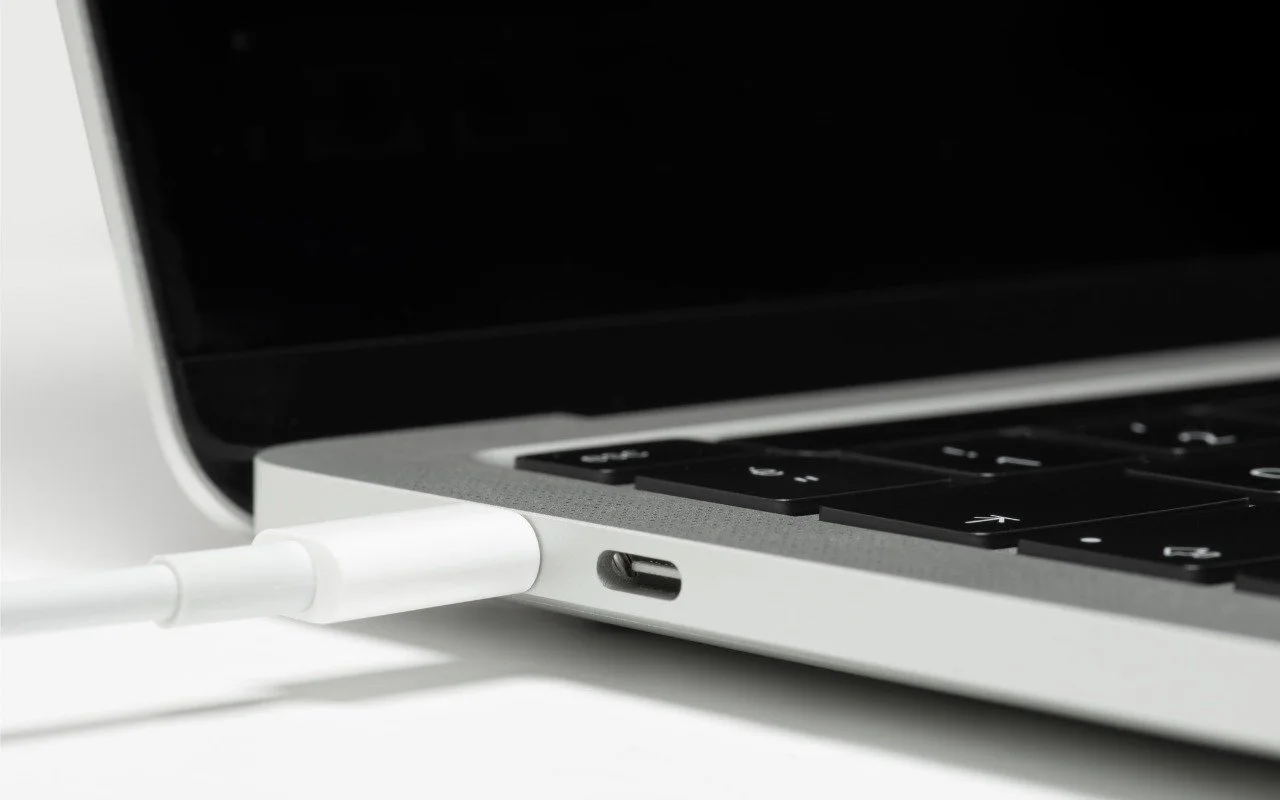
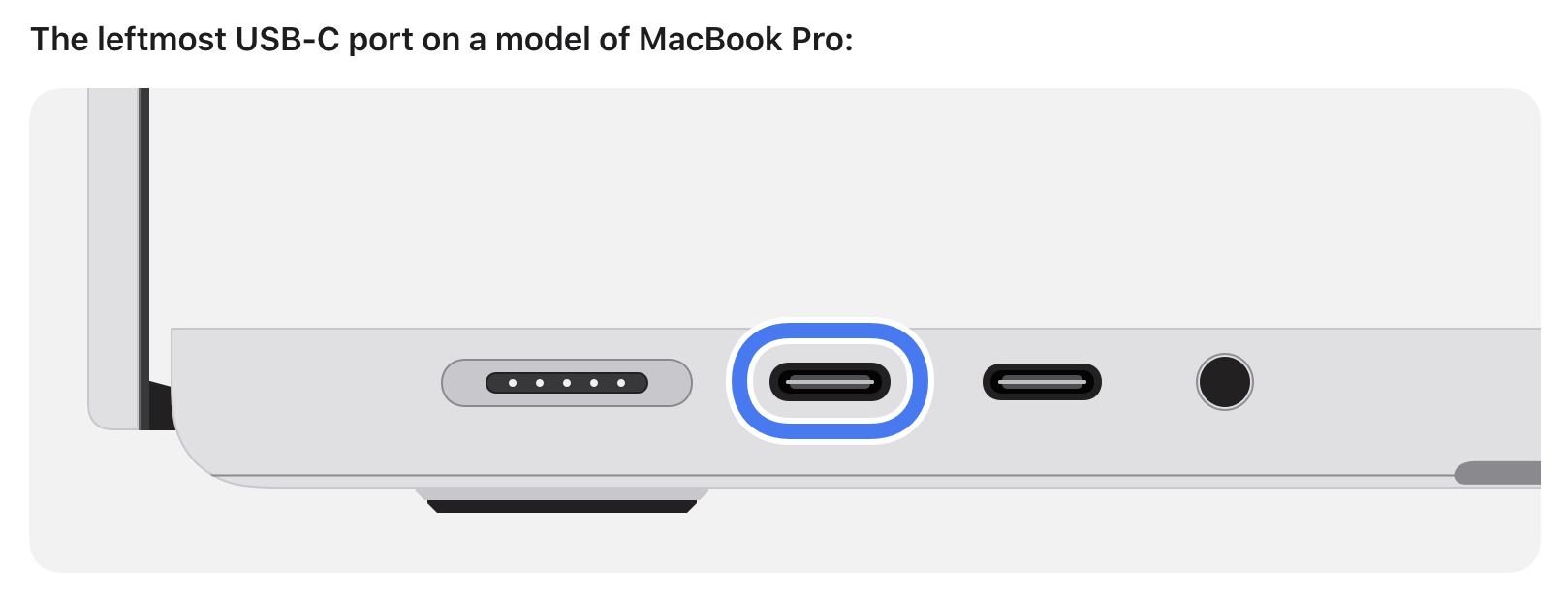
Booting from an external SSD (hard disks are too slow) provides a convenient way to test specific versions of macOS or troubleshoot problems with your Mac’s internal storage. However, a little-known gotcha has caused untold hair loss among those trying to boot from an external drive. Macs with Apple silicon cannot start up from external drives connected to their DFU (device firmware update) USB-C port. The only way to determine which port this is on a given Mac is to look it up on Apple’s website. If your Mac won’t boot from an external drive, connect it to a different USB-C port.
(Featured image by iStock.com/ardasavasciogullari)
Make Sure to Check Settings on Multiple Devices
Is your app behaving differently on different devices? The culprit might be device-specific settings. To avoid frustration, check and synchronize your preferences across all devices to ensure consistent behavior where appropriate.

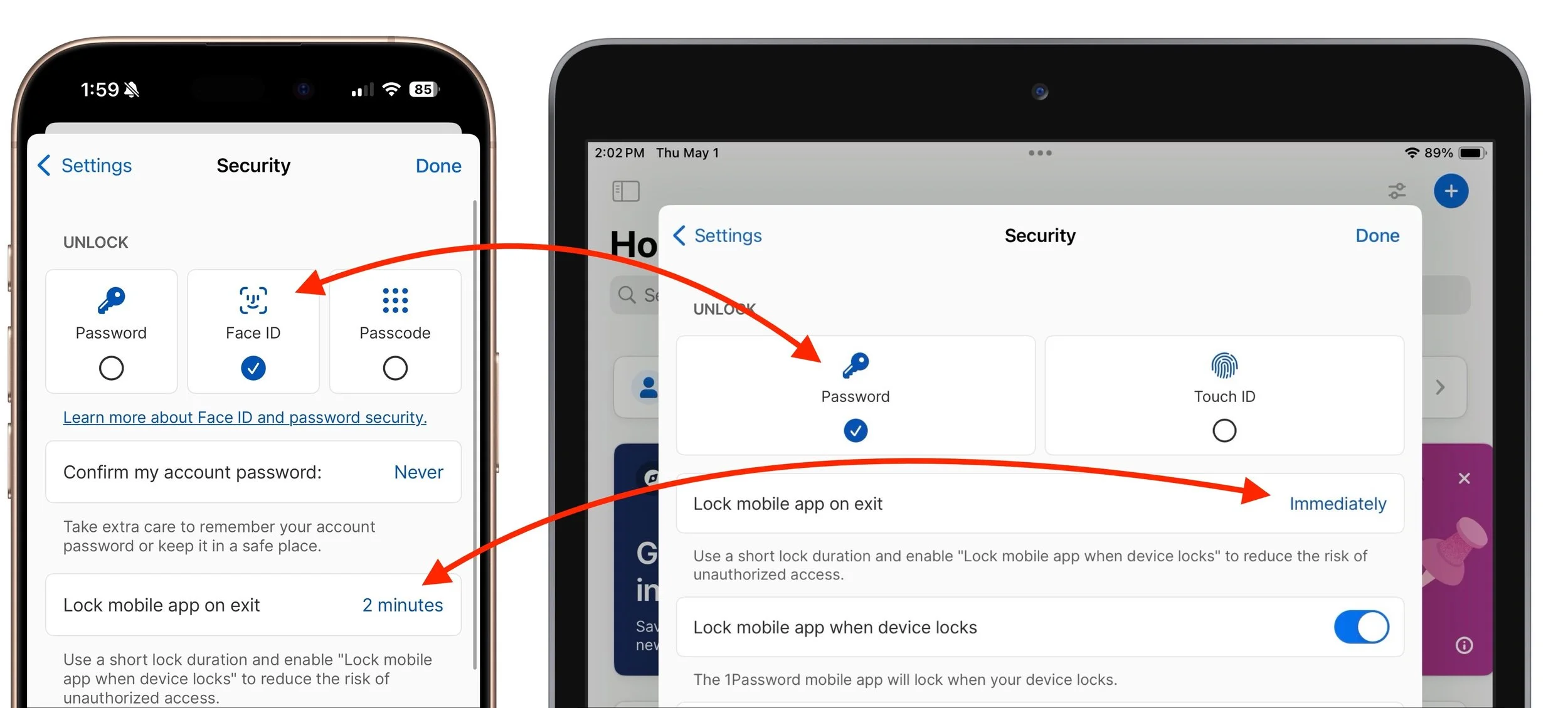
We recently helped someone having trouble with 1Password requesting their password repeatedly on their iPad, but not on their iPhone. Since 1Password’s data syncs between devices, this person didn’t realize they needed to configure the app’s security settings separately for each device. It’s appropriate for 1Password to separate security settings—one device could be used in a much more sensitive environment than another—but it’s also easy to see how a user might be confused about the difference in behavior. All this is to say that if you are annoyed by an app or operating system behaving differently depending on the device you’re using, compare the settings and ensure they’re set appropriately for each device.
(Featured image based on an original by iStock.com/towfiqu ahamed)
Try Blip for Fast Transfers of Any Size Between Platforms
Looking for a better way to transfer large files across devices and platforms? Blip offers secure, direct file transfers between Apple devices and other platforms, with no size limits and automatic resumption of interrupted transfers.

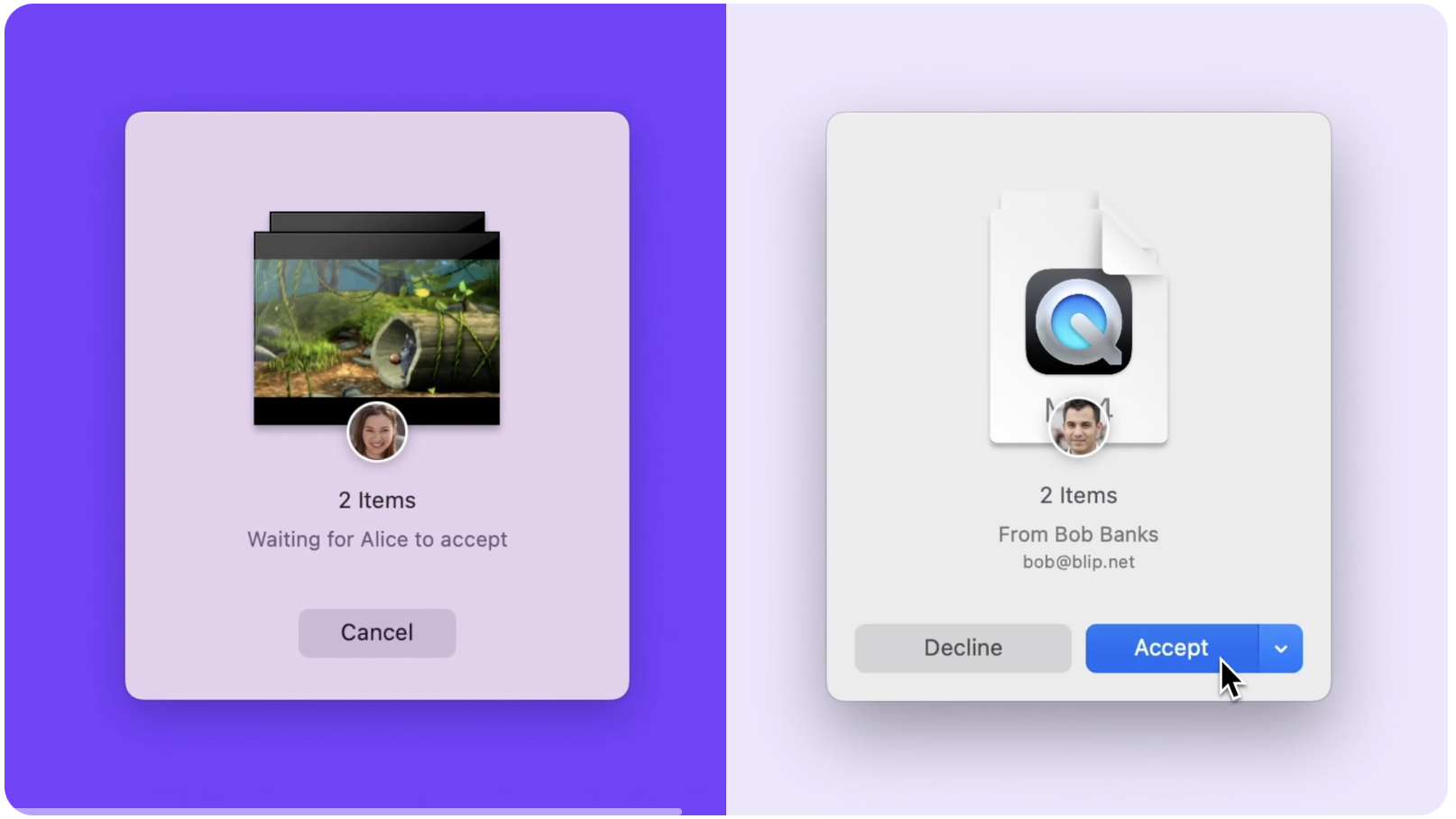
For file transfers, Apple users routinely rely on tools like AirDrop, Messages, email, cloud services, and public sharing websites, but these solutions can fall short when dealing with very large files, sharing across platforms, or confidential data. For such scenarios, Blip offers a reliable solution that works across Macs, iPhones, iPads, Android devices, Windows, and Linux machines. It transfers files of any size directly between devices, with no intermediate servers, encrypting its traffic for security. It handles uncompressed folders, offers high transfer speeds, and automatically resumes interrupted transfers—particularly valuable features when working with large media files or project folders. Blip is free for personal use or $25 per month for commercial use, making it easy to determine if it will be helpful for your business.
(Featured image by iStock.com/Makhbubakhon Ismatova)
Share Wi-Fi Network Passwords Using QR Codes
While Apple’s automatic sharing of Wi-Fi passwords feels like magic, it doesn’t work in every situation. For a more reliable manual approach, use the Show Network QR Code feature in the new Passwords app.

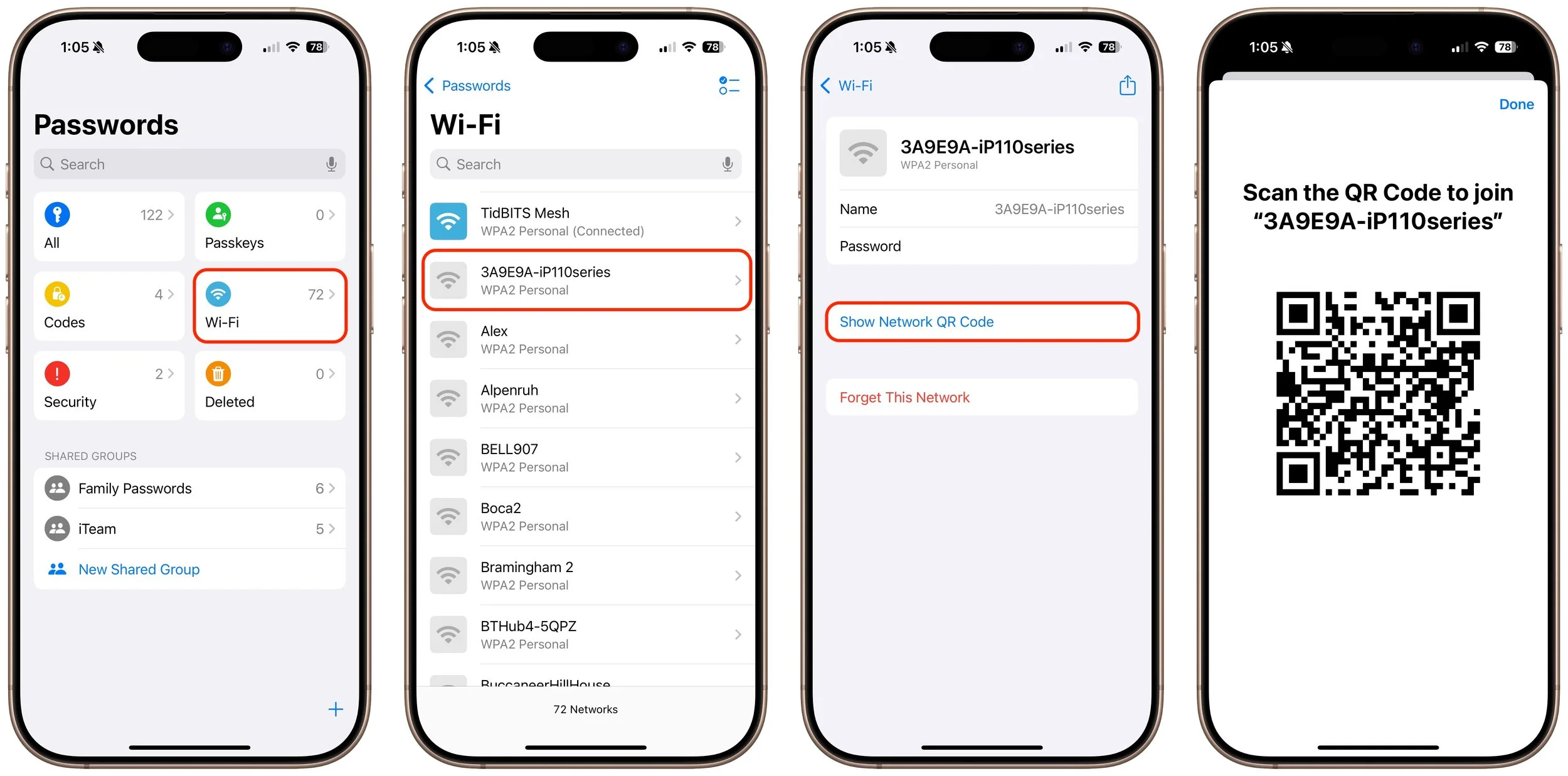
A neat feature built into iOS, iPadOS, and macOS is that when you are connected to a Wi-Fi network, your devices will offer to share the Wi-Fi password if others near you try to connect to the same network. However, for this feature to work, they must be in your Contacts, and at times, it doesn’t activate as quickly as you’d like. Apple’s new Passwords app on an iPhone, iPad, or Mac provides a manual alternative that may work better. Tap the Wi-Fi collection to see all your remembered networks, select the desired network, and tap Show Network QR Code. When others scan the QR code using their phones, they will instantly join the network.
(Featured image by iStock.com/PrathanChorruangsak)
Apple Says More Personalized Siri Will Be Delayed
If, like us, you’ve been eager to try the Apple Intelligence-enhanced version of Siri that Apple announced at its Worldwide Developer Conference in 2024, we’re sorry to say that we all have longer to wait.

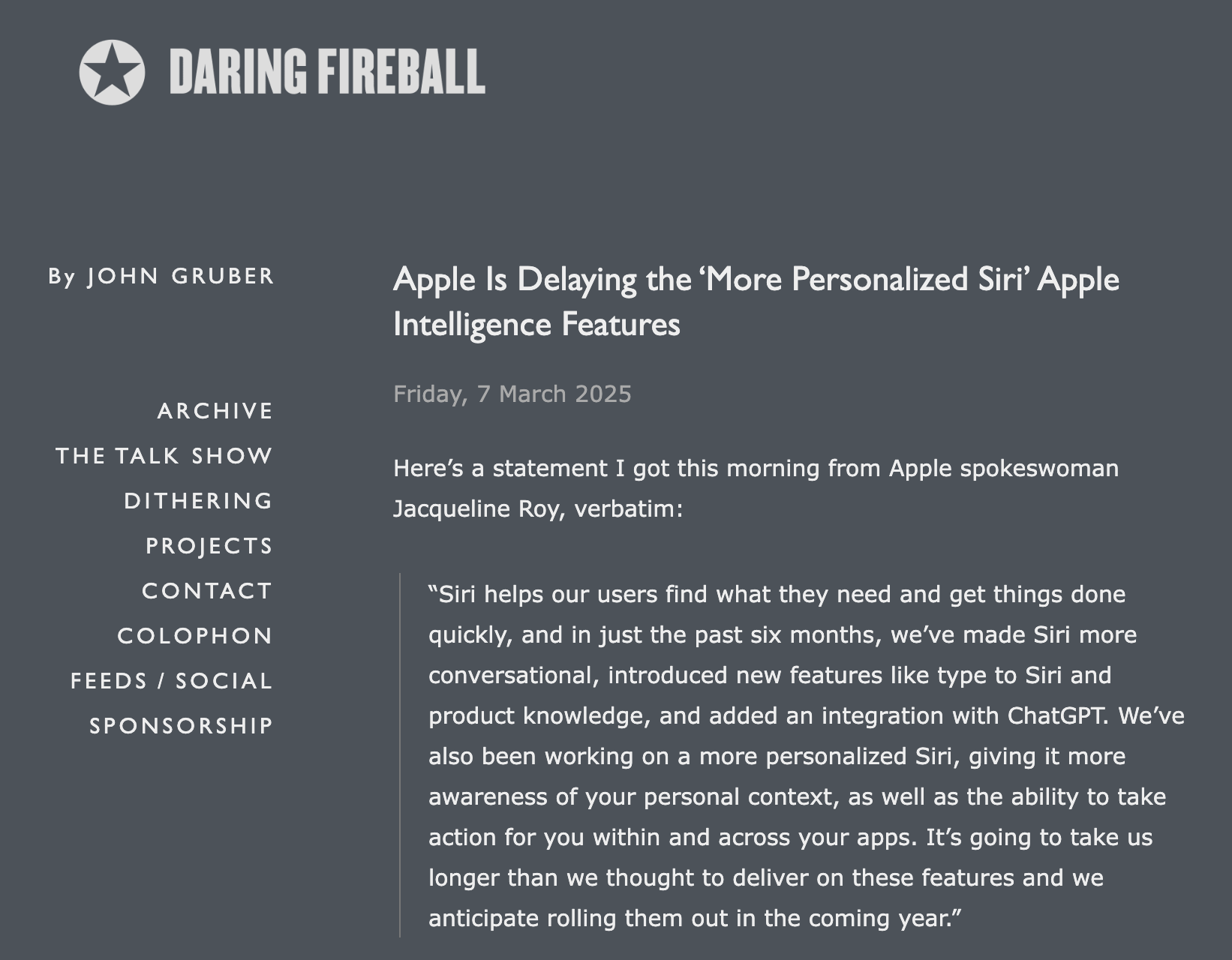
As we’ve been covering Apple’s staged rollout of Apple Intelligence, one announced feature that has remained tantalizingly in the future is the enhanced version of Siri that would have onscreen awareness, understand your personal context, and be able to interact with apps. The company has quietly admitted that this new version of Siri isn’t ready yet and now says it anticipates rolling it out in the coming year. That probably means in conjunction with some version of iOS 19 and macOS 16, expected to debut in September 2025 and receive updates through early 2026. In short, don’t expect this new Siri anytime soon. We’d prefer to see Apple get Siri to succeed at all the tasks it’s supposed to handle now—too many of the things we try to do with Siri fail.
(Featured image based on an original by iStock.com/Bogdan Malizkiy)
With iOS 18.2 and Later, You Can Share the Location of Lost Items in Find My
The new Share Item Location feature in Find My enables you to share the location of a lost AirTag or another item tracked by Find My with anyone, including airline reps who can use it to locate lost luggage for you.

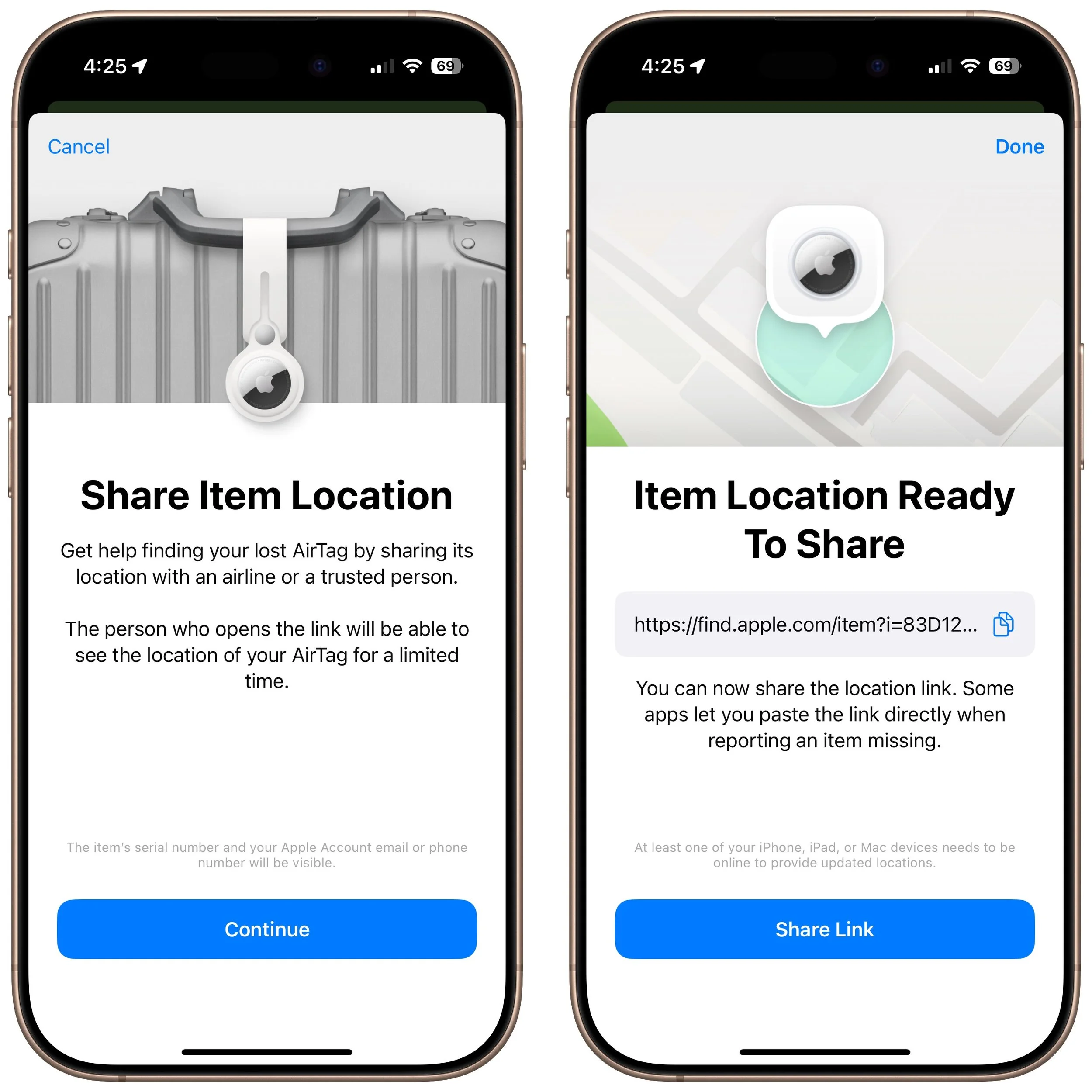
In iOS 18.2, Apple enhanced the Find My app, enabling you to create a temporary Web page that shares the location of a lost AirTag or other Find My-tracked item. You don’t need to know the person’s email address or share any other information, and the link automatically expires after a week. It’s a great way to enlist others in the search for a lost item, but the big win is sharing with an airline to help them track the location of misdirected luggage. It’s easy: open the Find My app, tap Items, select the desired AirTag or other item, tap Share Item Location, and then share the provided link via text message, email, or any other method. The item’s location automatically stops being shared if it’s reunited with you, or you can end sharing manually.
(Featured image by iStock.com/yacobchuk)
Don’t Assume That Top Google Search Results Are Guaranteed Safe
You know that the phrase “I read it on the Internet, so it must be true” is absurd, but you should extend that skepticism to Google search results. We’ve seen two recent instances of malicious content bubbling to the top of searches. Trust but verify.

We hate to encourage paranoia, but all is not well with Google Search. Recently, we've heard of multiple instances where people were nearly taken advantage of due to relying on the top result in a Google search. In one case, a user called a purported HP support phone number directly from the search results but ended up speaking with a scammer. In another, a user thought they were downloading the latest version of Dropbox but got malware instead. In neither case could we reproduce the error, but they may have resulted from “SEO poisoning,” a malicious technique in which cybercriminals manipulate search engine optimization (SEO) strategies to elevate harmful websites in search results. In short, don’t assume that a site at the top of Google search results is guaranteed safe when downloading software or contacting a company. It’s best to navigate directly to a company’s official website before trusting that corporate information and software downloads are legitimate.

(Featured image based on an original by iStock.com/Armastas)
Apple Updates Mac Studio with M4 Max and M3 Ultra Chips
Apple has updated the Mac Studio by swapping the M2 Max and M2 Ultra chips for the M4 Max and new M3 Ultra. The M3 Ultra version also offers a new memory ceiling of 512 GB and a new storage max of 16 TB. It’s a monster machine.

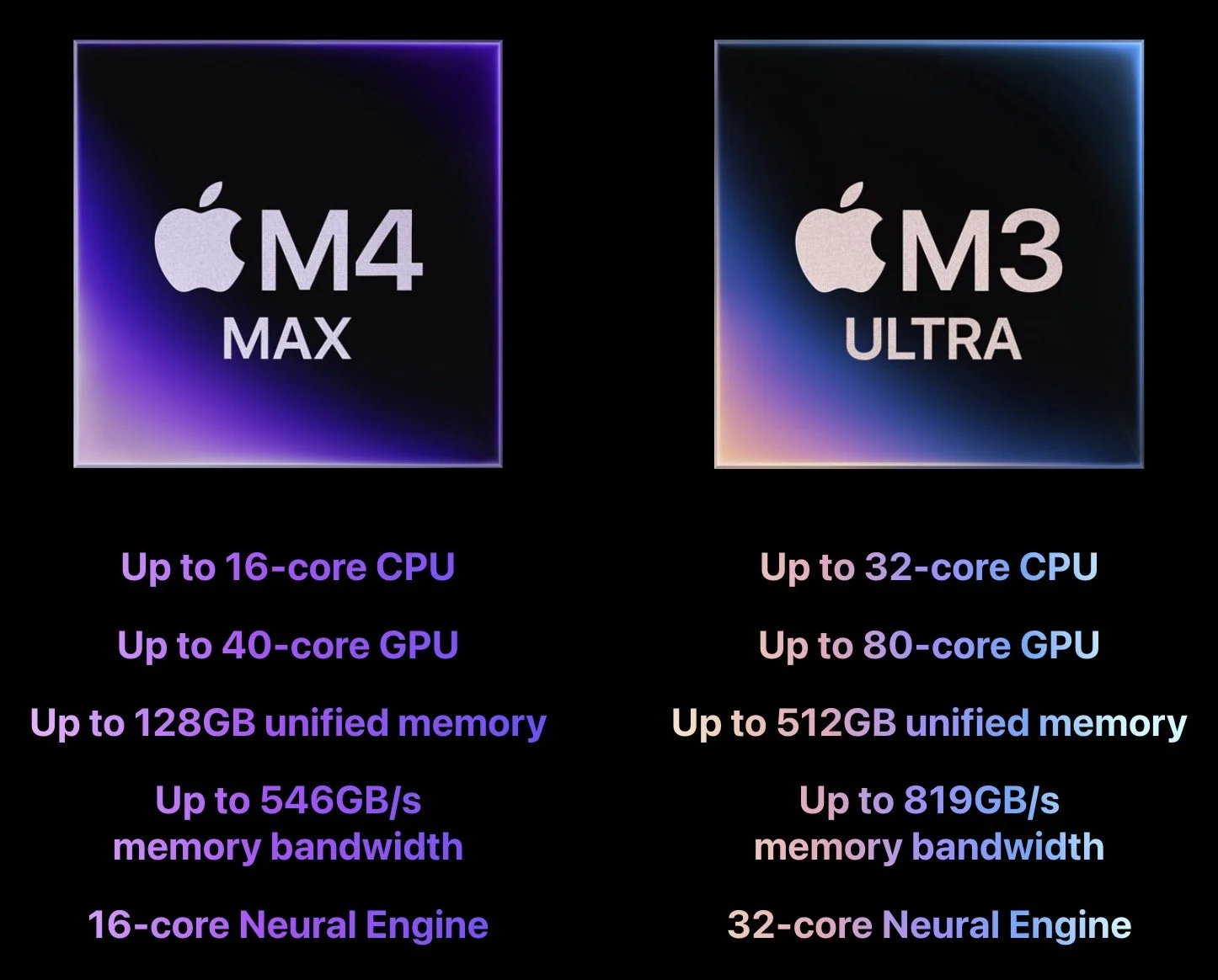
In the first update to the Mac Studio since 2023, Apple has refreshed its professional powerhouse with new chip options and support for speedy Thunderbolt 5 peripherals. Previously, the Mac Studio was powered by the M2 Max and M2 Ultra; Apple has now replaced them with the M4 Max, which debuted last year in the MacBook Pro line, and the new M3 Ultra, which melds two M3 Max chips for the ultimate performance. According to Apple, the M3 Ultra version of the Mac Studio ($3,999) is up to 2.6 times faster than the initial M1 Ultra version and nearly twice as fast as the M4 Max configuration ($1,999) for workloads that take advantage of high CPU and GPU core counts. The M3 Ultra Mac Studio starts with 96 GB of unified memory and can be configured with up to 512 GB, plus up to 16 TB of storage, both more than ever before. If you need the fastest Mac possible, look no further.
(Featured image by Apple)