
Control Song Transitions in Apple Music
Apple’s new DJ‑style AutoMix transitions between songs in the Music app aren’t to everyone’s taste (and sometimes flub the jump). Here’s how to switch back to a timed Crossfade or disable transitions in Music on your iPhone, iPad, and Mac.

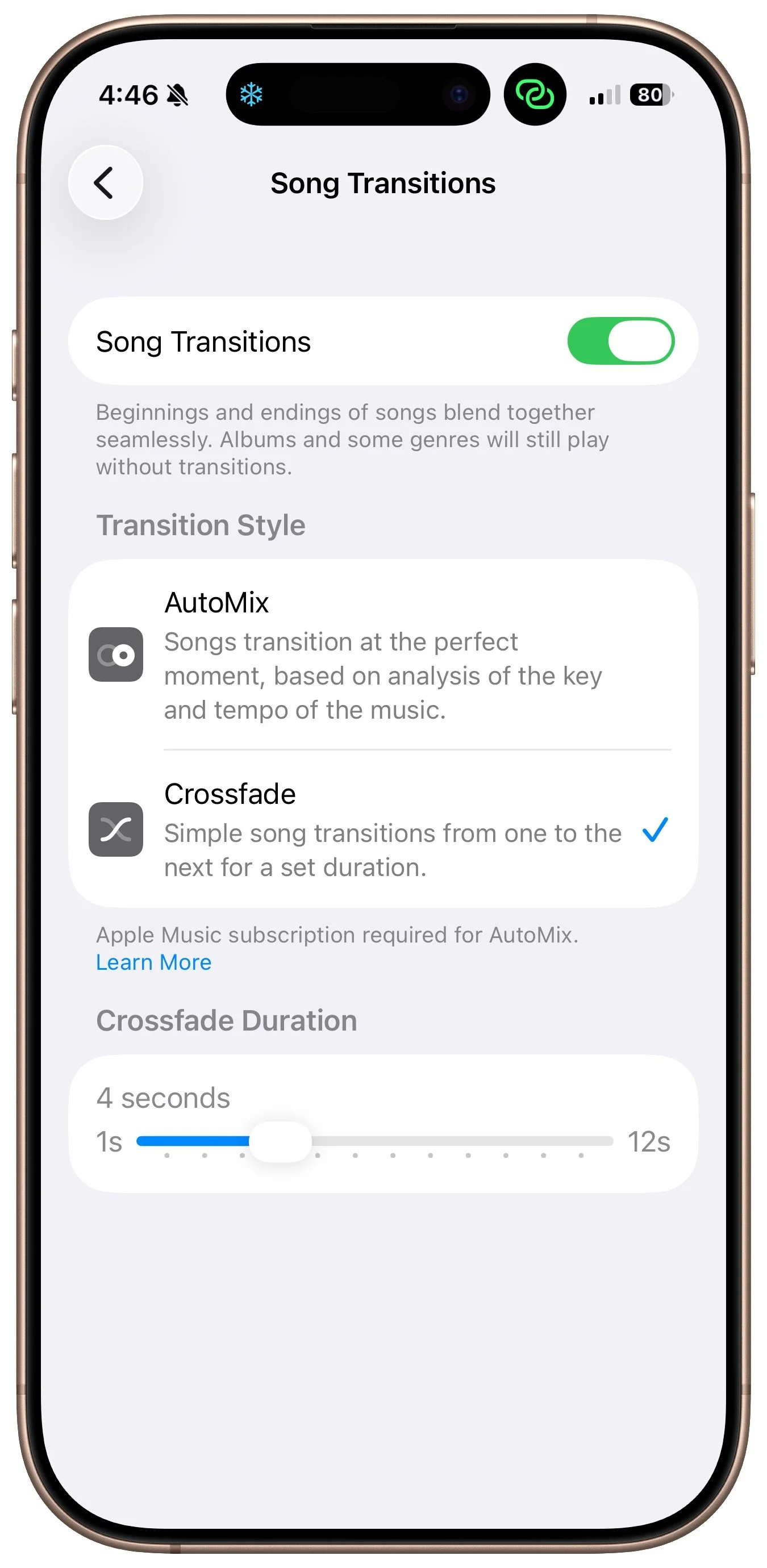
A new feature for Apple Music subscribers in the Music app in iOS 26, iPadOS 26, and macOS 26 is AutoMix, which Apple says causes songs to “transition at the perfect moment, based on analysis of the key and tempo of the music.” It fades between songs as a DJ would, but it’s not always successful. If AutoMix’s transitions aren’t to your taste, navigate to Settings > Apps > Music > Song Transitions in iOS and iPadOS, or Music > Settings > Playback > Song Transitions in macOS, and switch back to the longstanding Crossfade option, which transitions between songs over a user‑specified number of seconds. Or, just turn off the Song Transitions switch and let one song end completely before the next one starts.
(Featured image by iStock.com/lakshmiprasad S)
Clean Up Your Mac’s Login Items for Better Performance
Speed up your Mac’s startup, reduce conflicts, and improve security by cleaning out old login items. It takes just a minute in System Settings.
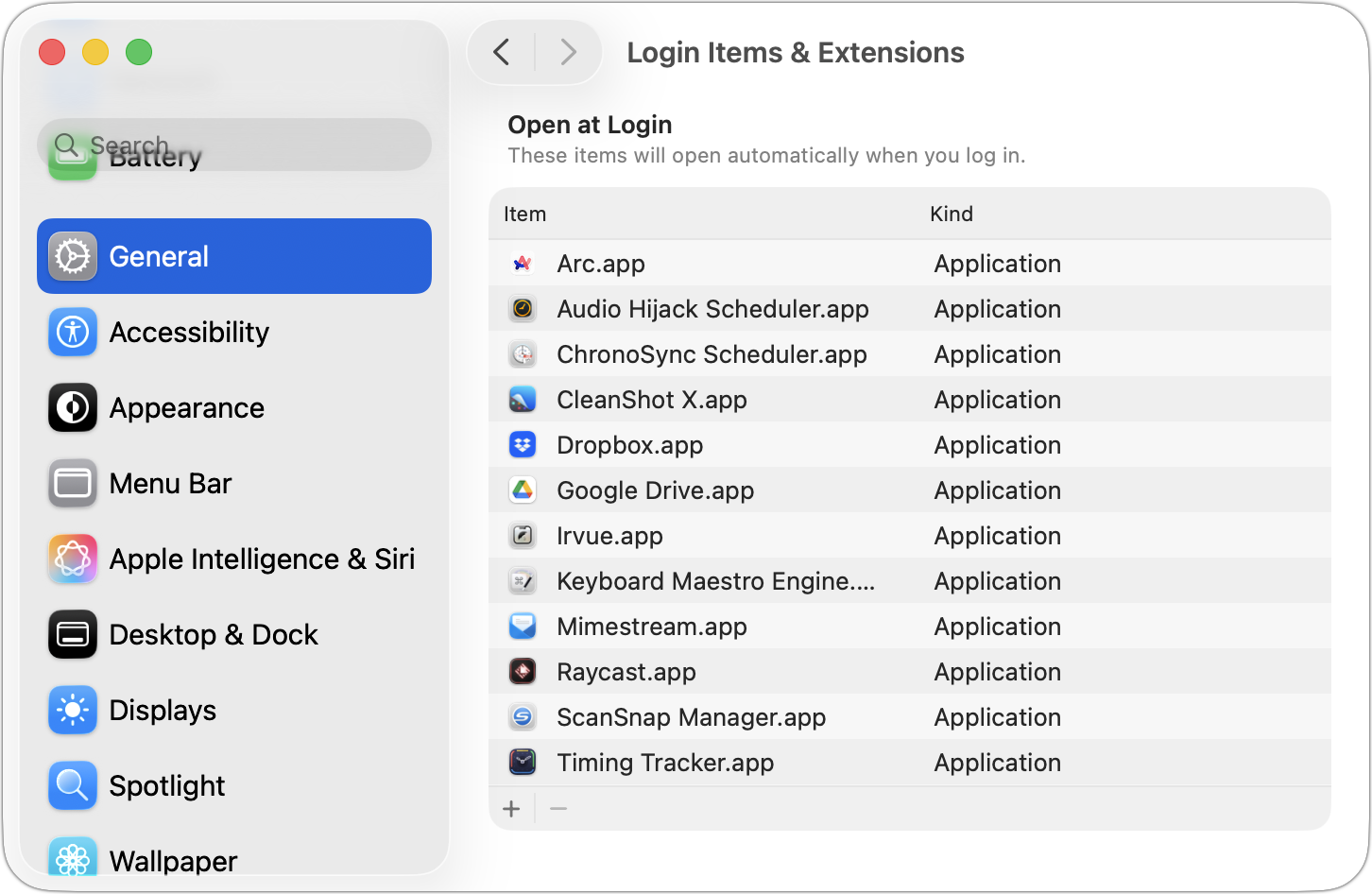
If you use certain apps or documents regularly, you can ensure they’re ready to go after a restart by manually adding them to your Login Items list. Some login items are also added automatically by apps that want to be available at all times. Either way, when the Mac boots, it automatically opens all login items. But it’s easy to end up with login items for apps you no longer use, which can slow down startup and overall performance, increase the risk of conflicts, and even expose you to attacks. We encourage you to review your Mac’s login items periodically and remove any items you’re not using. Just navigate to System Settings > General > Login Items & Extensions, select the unwanted items, and click the minus button. If you make a mistake, drag the app back in from the Finder.
(Featured image by iStock.com/artisteer)
Be Alert for Deepfake Phishing Scams
Phishing has a new face—literally. Scammers can now use AI tools to fake voices and videos that look real. Before you act on an “urgent” request, look for audio or visual clues and verify through another channel.

Phishing scams have entered a new, AI-powered phase and can now convincingly mimic real people. Attackers can generate fake voice or video deepfakes to impersonate CEOs authorizing urgent payments, IT staff requesting access, or family members needing help. If you receive a voice or video call from someone you know at an unknown number who urges you to reveal confidential information or send money immediately, slow down, check for telltale signs, and verify before acting. Listen for unnatural pauses, overly smooth phrasing, or odd emotional timing. Visually, look for inconsistent lighting or shadows, artifacts around the hairline, ears, or teeth—or anything that seems “off,” especially around the mouth and eyes when the person moves. For verification, ask for a detail that only they would know. If you’re at all unsure whether the call is legitimate, hang up and contact them—or someone else who will know more—through a separate, trusted channel. A few seconds of skepticism can prevent a costly mistake.
(Featured image by iStock.com/Tero Vesalainen; article image by iStock.com/Boris023)
How to Customize the iPhone and iPad Home Screen with Liquid Glass
Apple’s new Liquid Glass design lets you make iPhone and iPad icons and widgets dark, clear, or tinted. Discover how to access these customization options and see if they enhance your Home Screen.
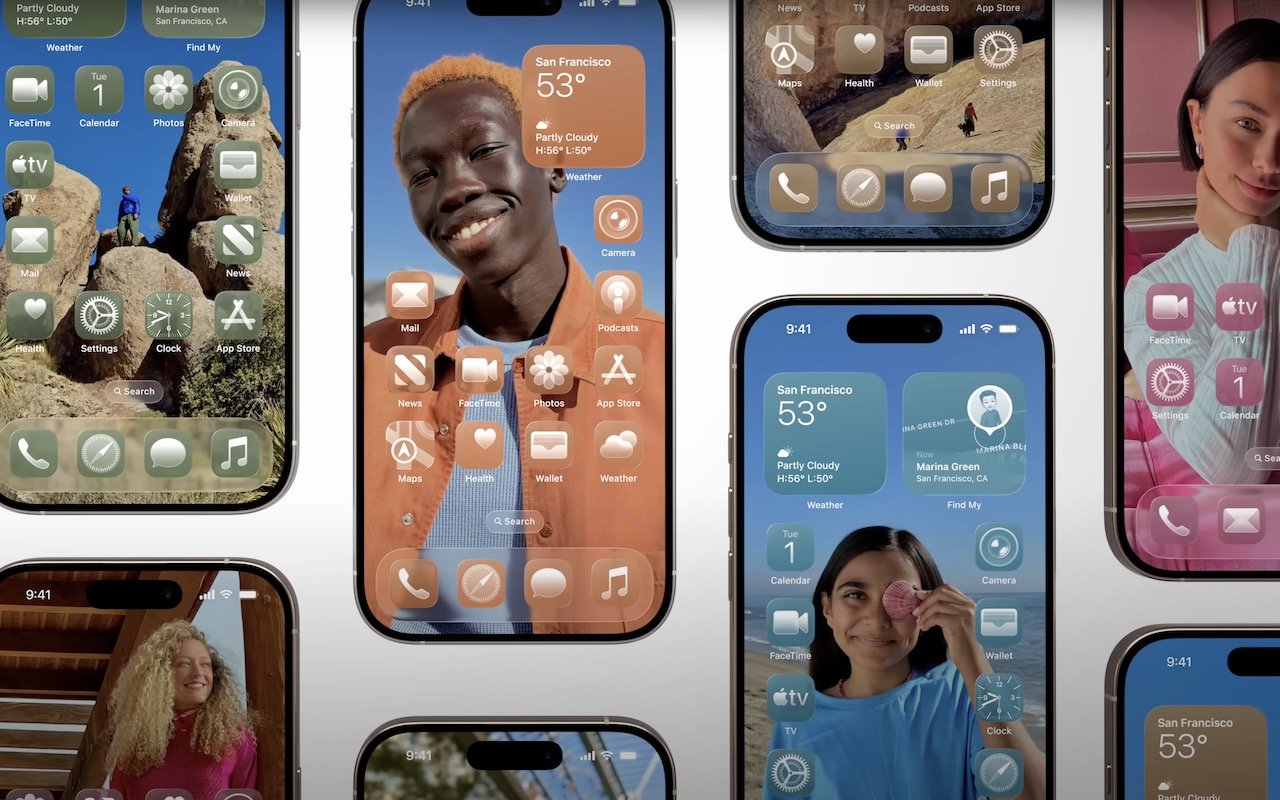
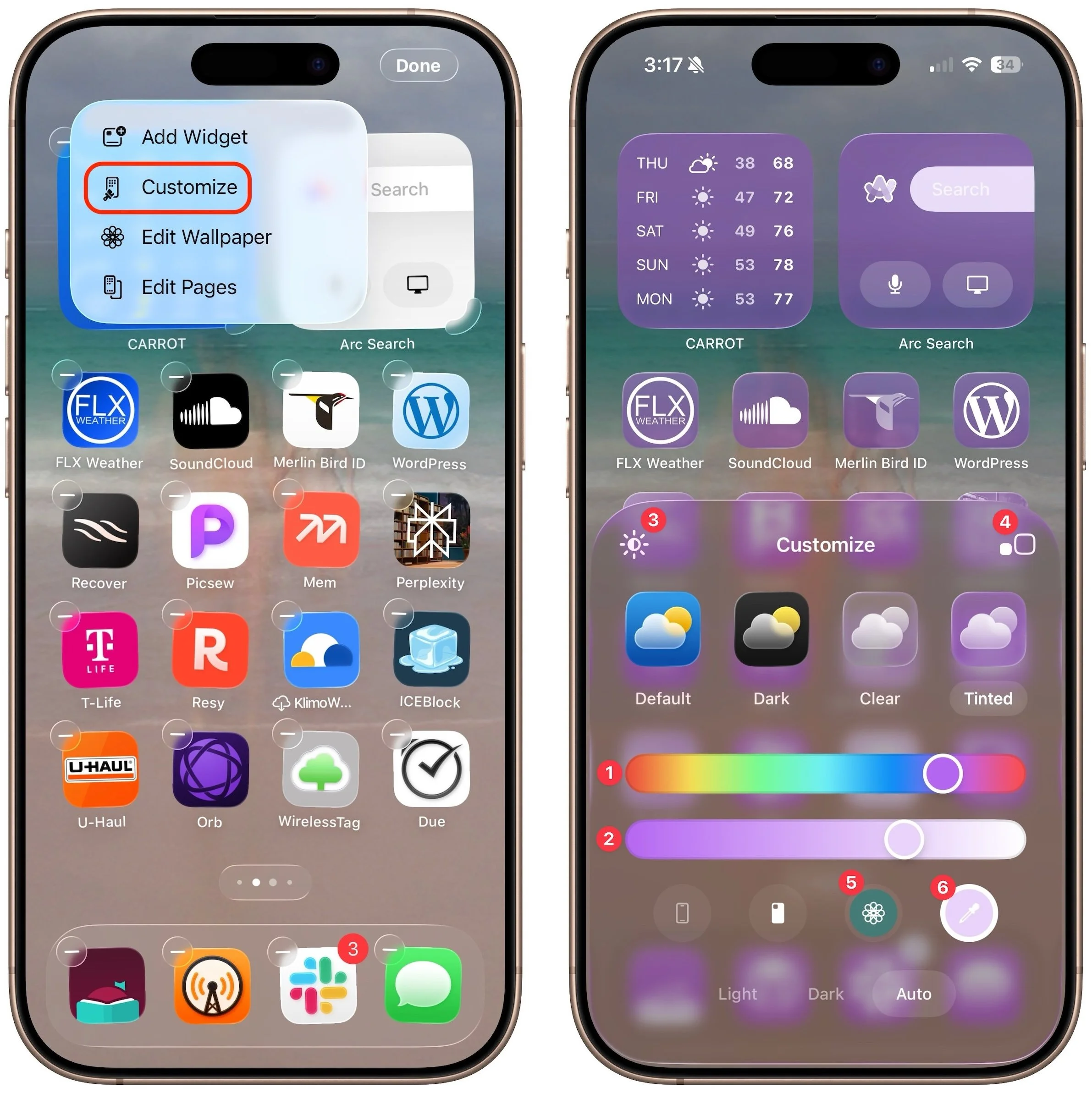
When describing its new Liquid Glass design language, Apple spoke only generally about how users could change the look of icons and widgets on their iPhone and iPad home screens to be dark, clear, or tinted, without specifying how to do that. The trick is to touch and hold an empty spot on the Home screen to enter jiggle mode, tap Edit in the upper-left corner, and select Customize to bring up a set of controls: choose from Default, Dark, Clear, and Tinted. For Tinted, set the color ➊ and opacity ➋ using the sliders, and use the buttons at the top of the Customize panel to change the brightness ➌, expand icons and remove names ➍, and use either the suggested image color ➎ or pick a color with the eye dropper ➏. The effectiveness of a Liquid Glass-enabled Home Screen will depend on how much you rely on color to identify icons at a glance.
(Featured image by Apple)
macOS 26 Tahoe Introduces New Recovery Assistant
macOS 26 Tahoe brings a new Recovery Assistant, which automatically detects and attempts to resolve Mac problems. Just remember: automated recovery can be helpful, but backups are still essential.
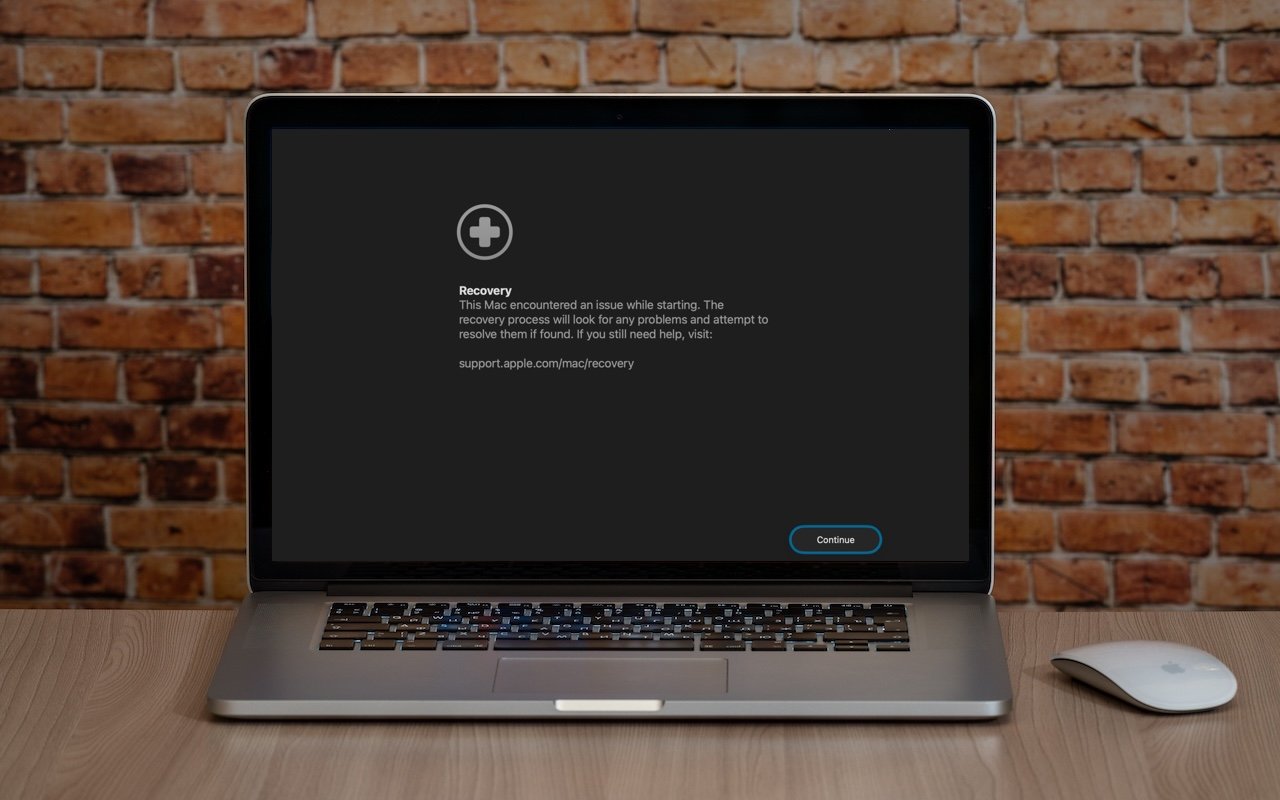
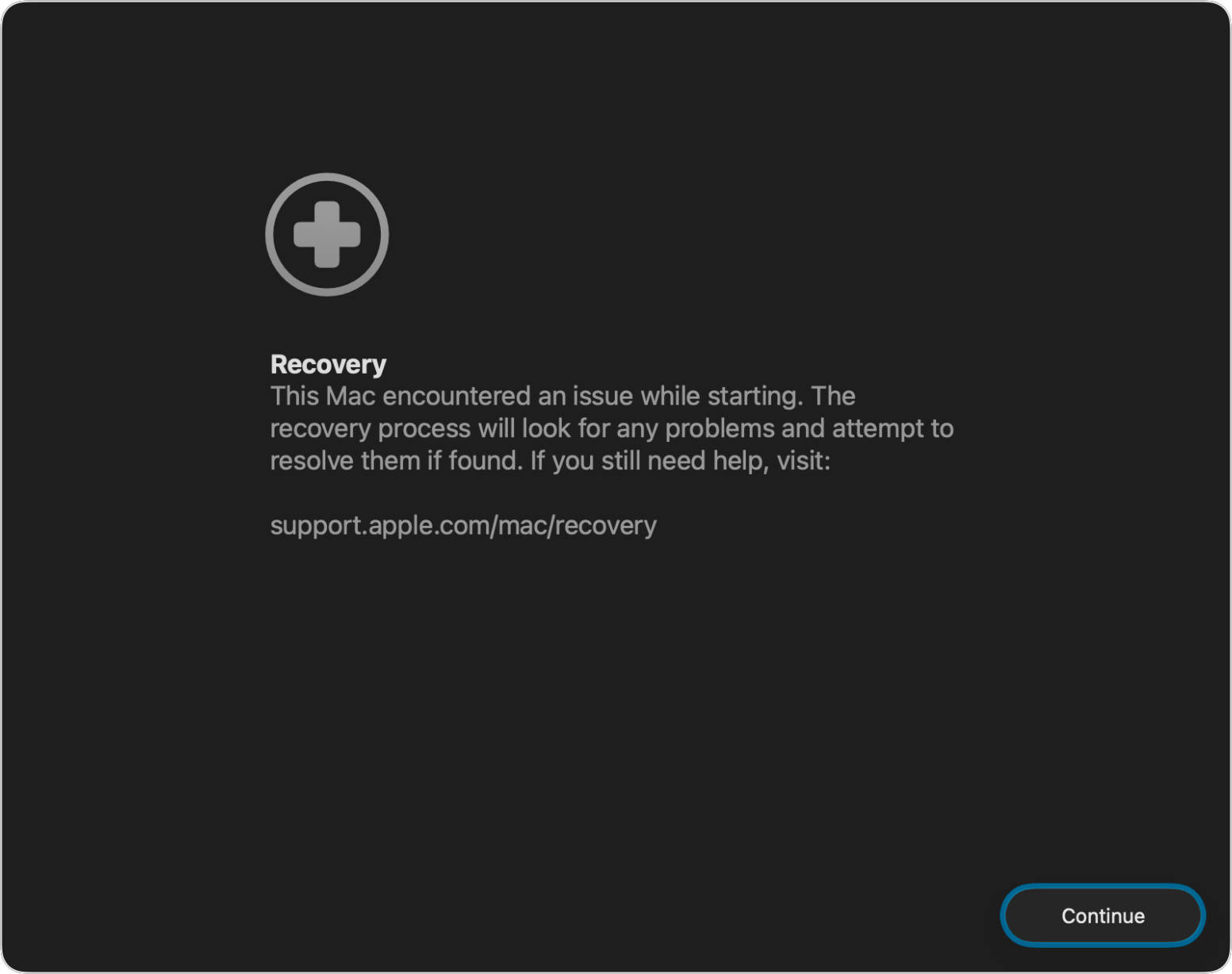
If a Mac running macOS 26 Tahoe experiences certain kinds of problems, it might automatically restart and launch a new Recovery Assistant. It will prompt you to unlock your disk if needed and to connect to a Wi-Fi network—an Internet connection is required. Apple doesn’t specify precisely what Recovery Assistant will do to recover your device, but it will either indicate that it succeeded, that it was unable to recover the device, or that it found no problems. In any case, you’ll need to restart your Mac, after which you may receive a notification to recover your iCloud data; initiate this process in System Settings. While we generally favor Macs being able to fix their own problems, we cannot stress enough how much more important it is to have a current backup than to rely solely on any recovery system.
(Featured image based on an original by iStock.com/Armastas)
Updated Passwords App Adds History
Apple’s Passwords app can now show your password history in macOS 26 Tahoe, iOS 26, and iPadOS 26, helping you track down why that “correct” password isn’t working.

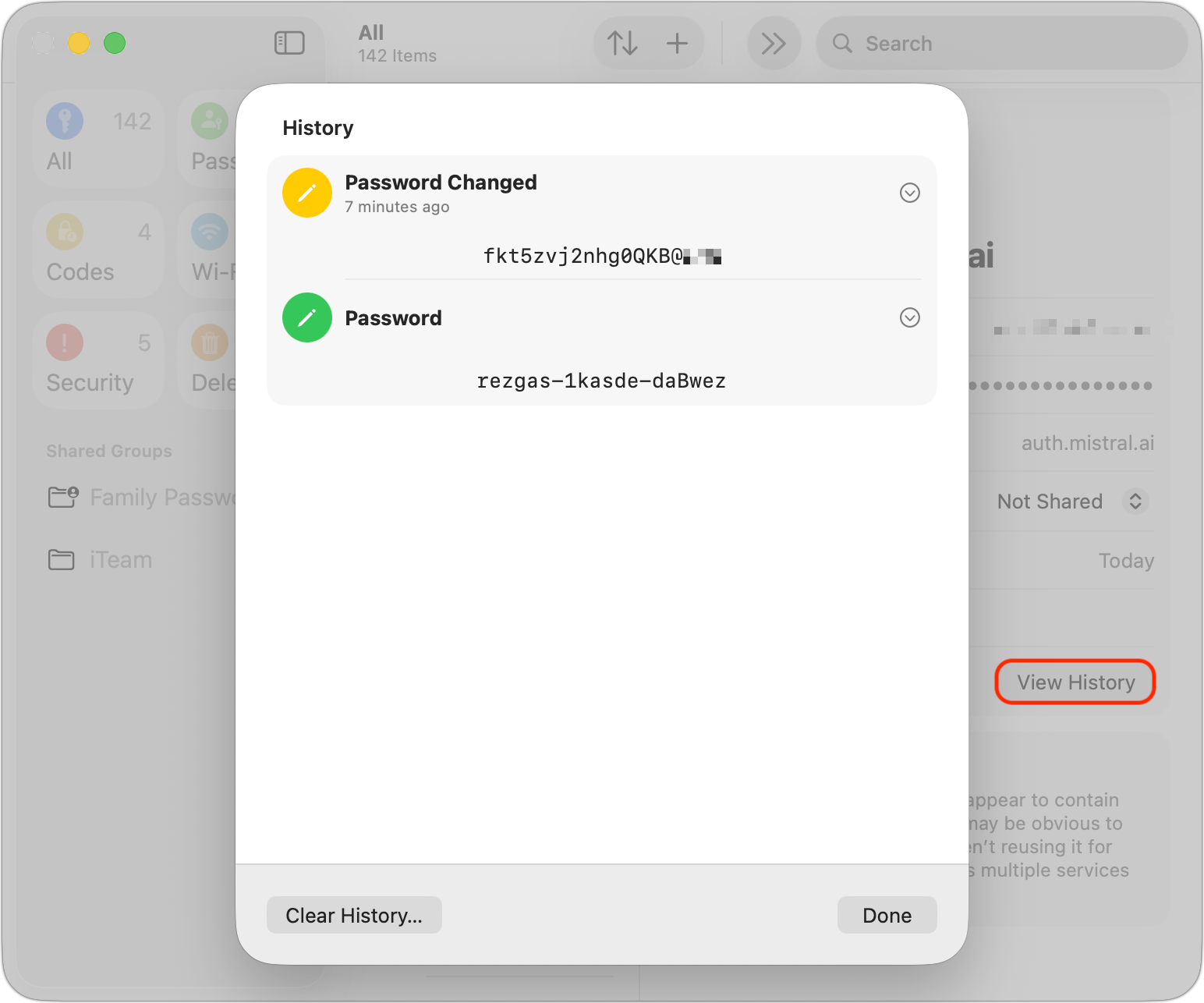
One small way Apple’s Passwords app lagged behind top password managers like 1Password was in its lack of a password history. It’s sometimes helpful—such as when trying to figure out why a seemingly correct password isn’t being accepted—to see previous passwords for a site and when they were changed. In macOS 26 Tahoe, iOS 26, and iPadOS 26, the Passwords app adds that feature. Click or tap View History to review the history of a particular site’s passwords.
(Featured image by iStock.com/designer491)
App Store Gains Accessibility Nutrition Labels
New App Store Accessibility Nutrition Labels show which apps support Apple’s accessibility features—a win for anyone who needs these capabilities now or in the future.

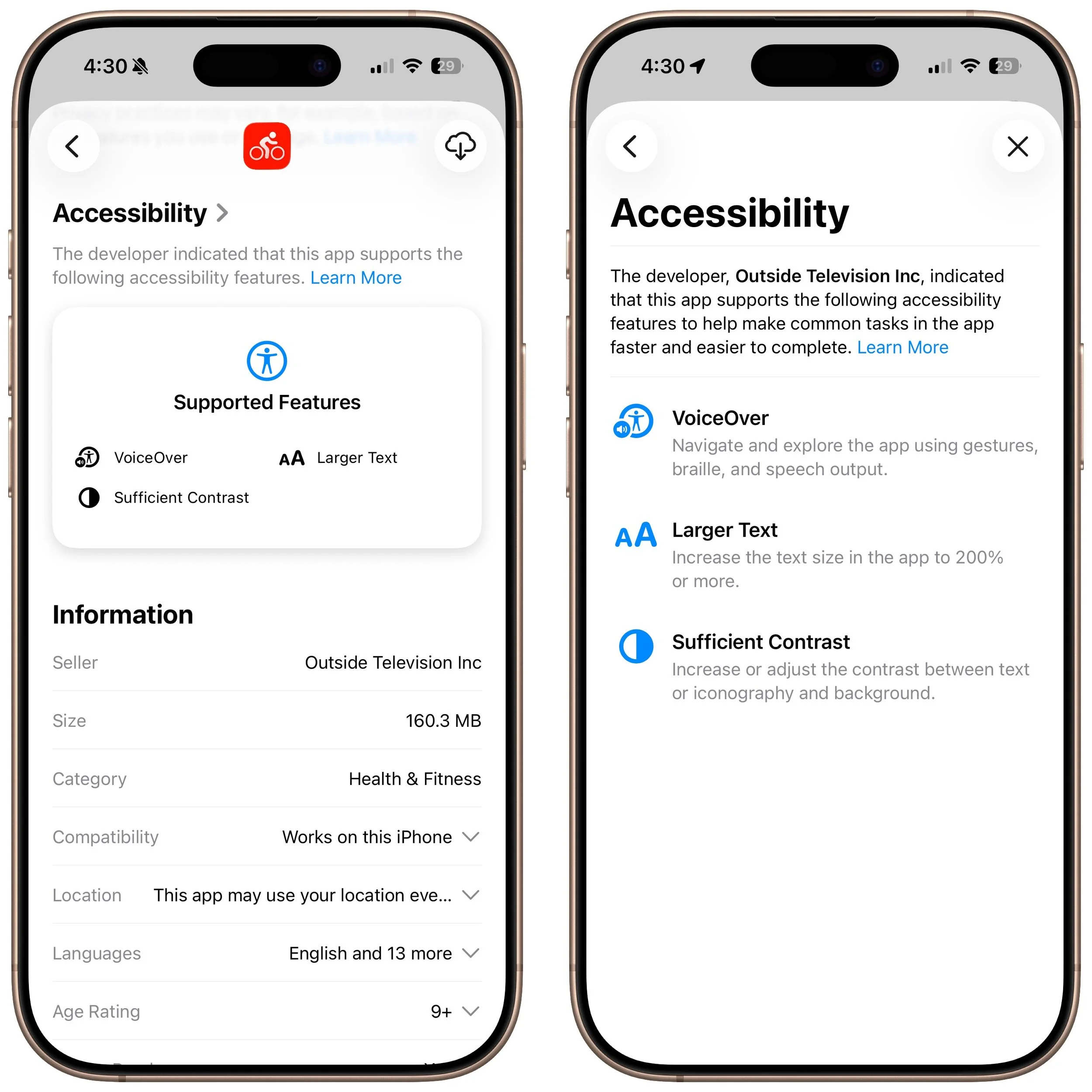
Apple does a good job providing accessibility options for users who experience issues with vision, hearing, motor control, and other accessibility needs. Nearly everyone will benefit from these features at some point in their lives. To encourage support for Apple’s accessibility features and assist users in finding compatible apps, the App Store now includes Accessibility Nutrition Labels that indicate supported features. Developers aren’t required to support or list these features, so it may take some time before many apps display this information. Still, it’s a welcome step forward!
(Featured image by iStock.com/findfootagehq)
How to Display Contacts with Last Names First
Want to display your contacts with the last name shown first? Here’s how to configure your iPhone, iPad, and Mac to display “Anderson, Andy” instead of “Andy Anderson.”
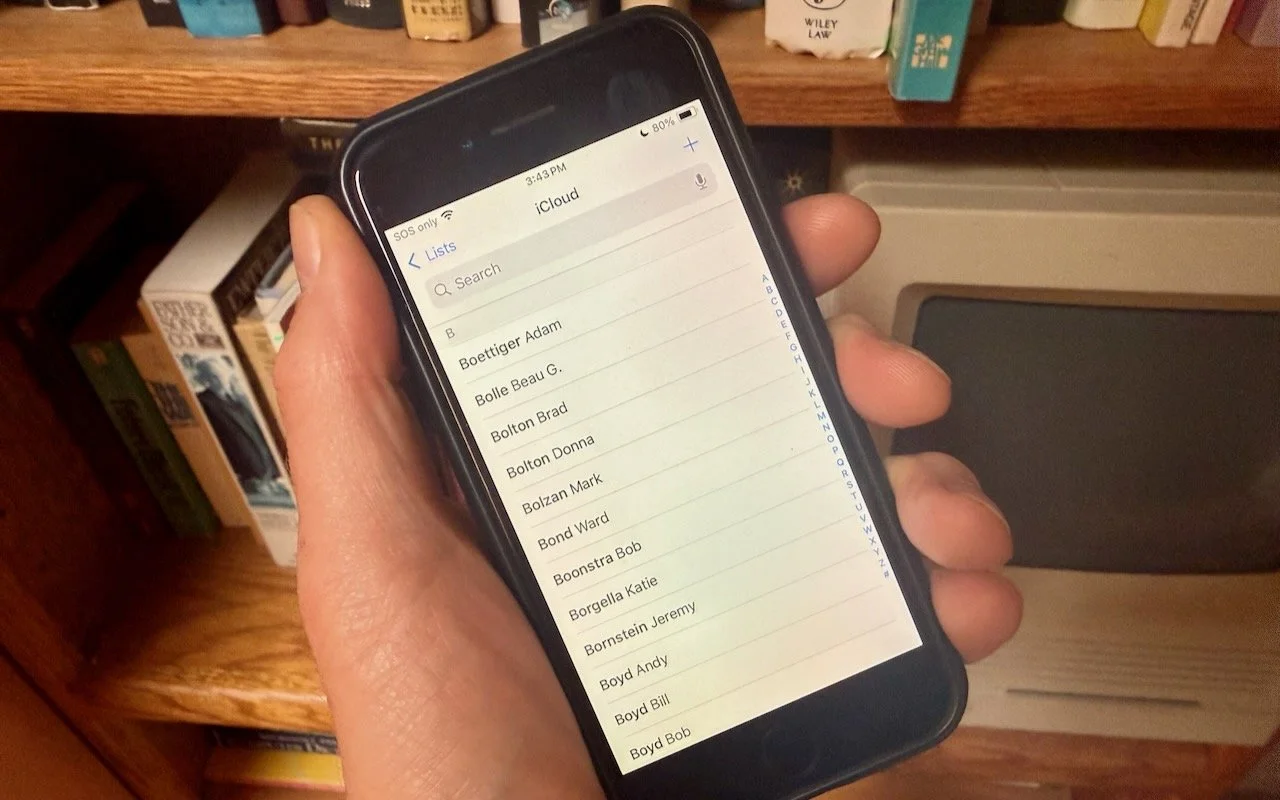
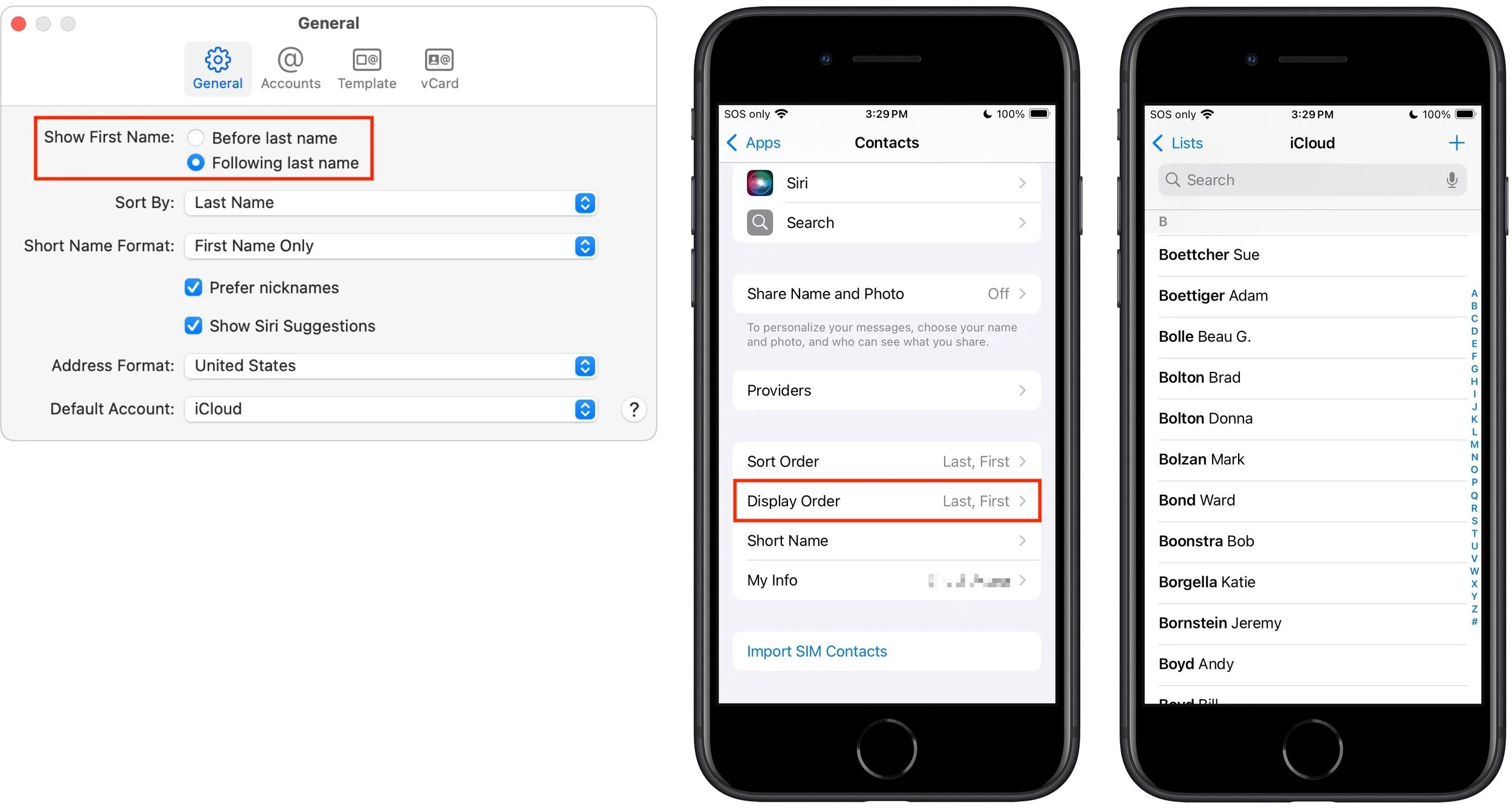
Most people prefer Apple’s default of sorting contacts by last name, so “Andy Anderson” appears near the start of the list and “Liliana Velasco” toward the end. But some would also prefer to display contacts with their last name first, such as “Anderson, Andy,” and “Velasco, Liliana.” That’s not the default, but if it’s what you want, here’s how to accomplish it. On the iPhone and iPad, go to Settings > Apps > Contacts > Display Order and select Last, First. On the Mac, open Contacts > Settings > General and from the Show First Name controls, select Following Last Name.
(Featured image by Adam Engst)